Multi-Warehouse
One number for what you own, no matter how many locations hold it.
Track stock across locations and move inventory between them without losing count.
Stock split across locations means nobody has the full picture
When each warehouse or shop keeps its own count, the total is only ever a guess — and stock transfers between locations are the first thing to go untracked.
What's included
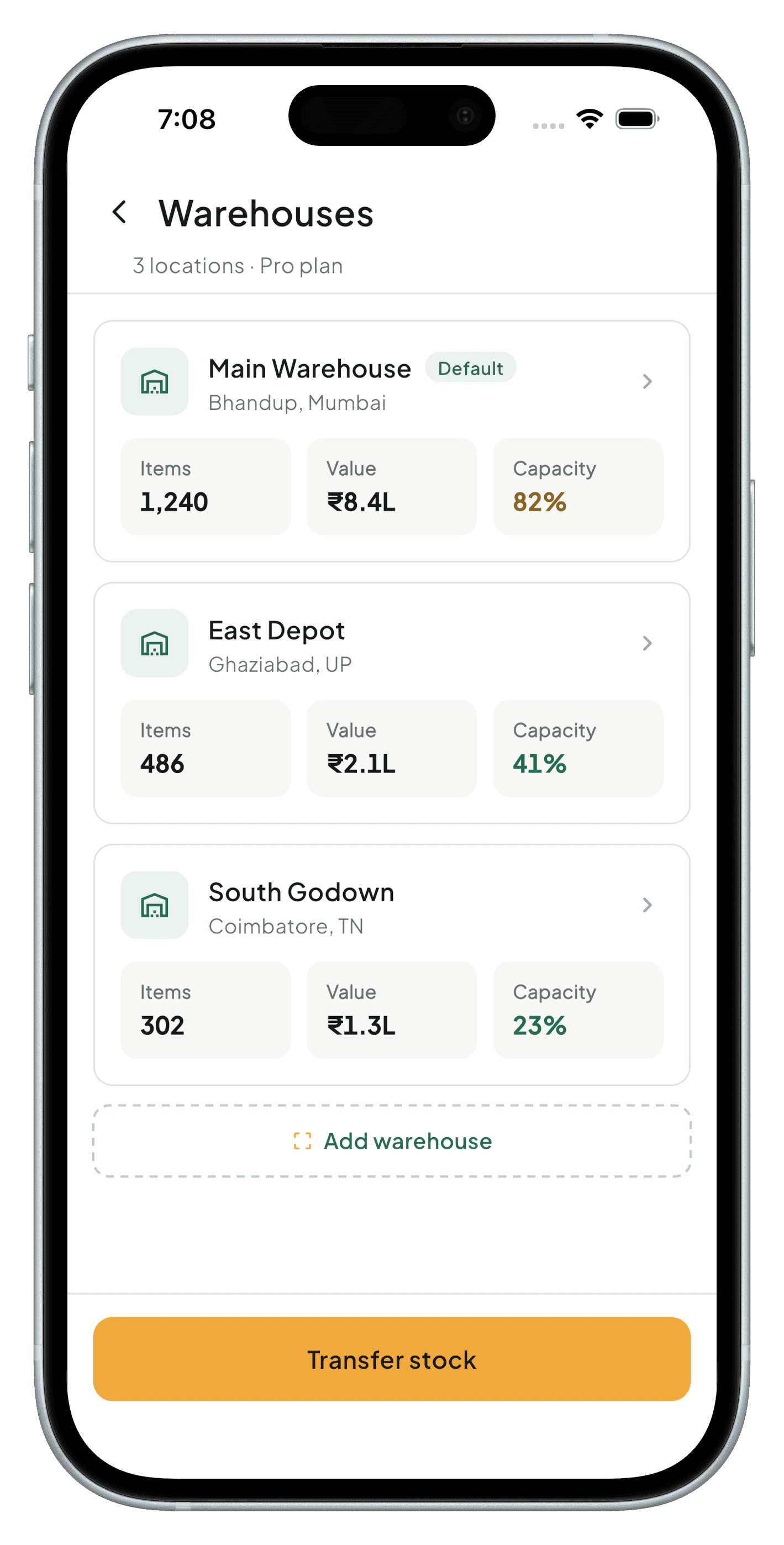
Per-warehouse stock levels
See exactly what's on hand at each location, not just a combined total.
Stock transfers
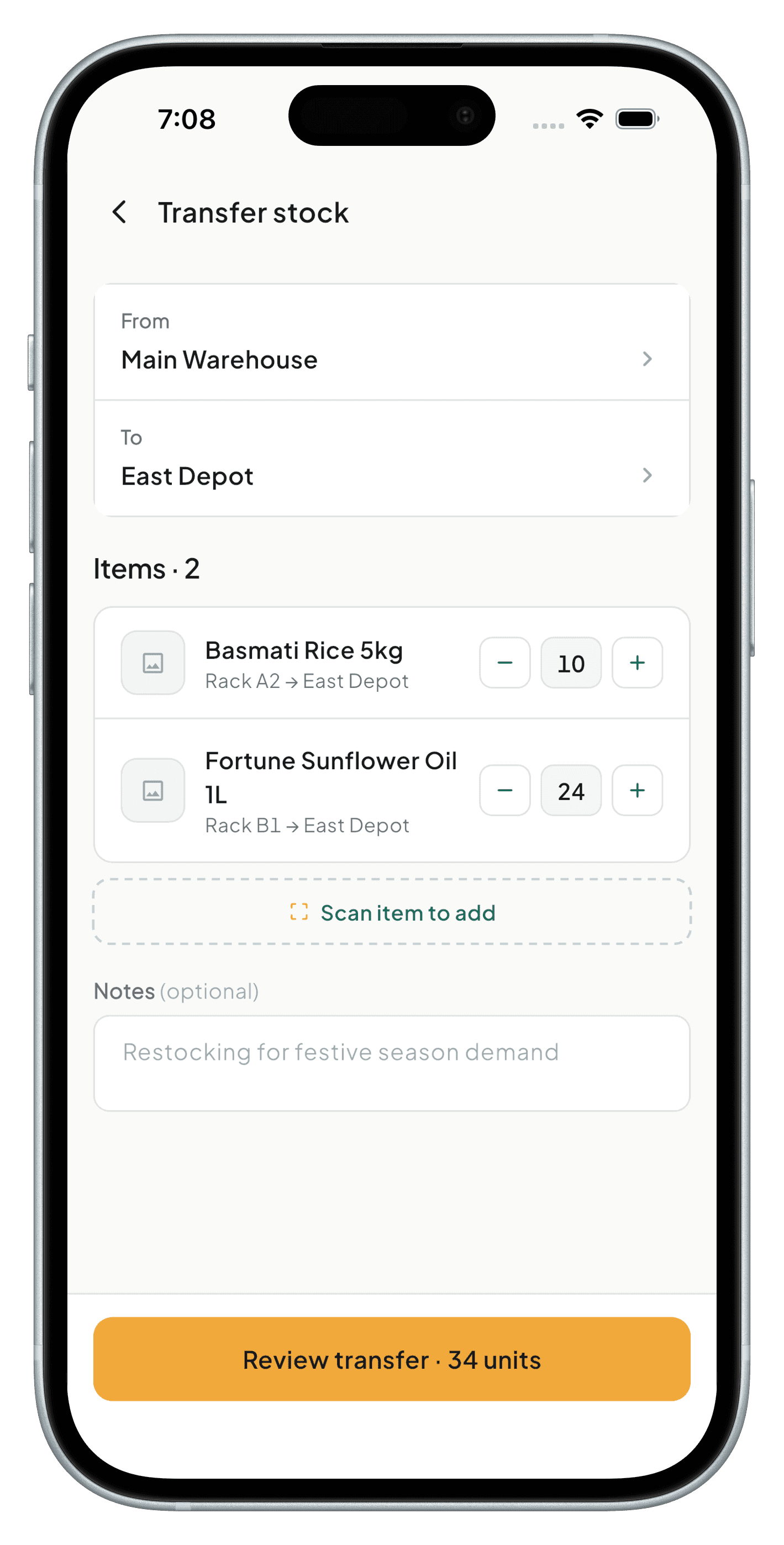
Move inventory between warehouses with a transfer record — both locations update the moment it's confirmed.
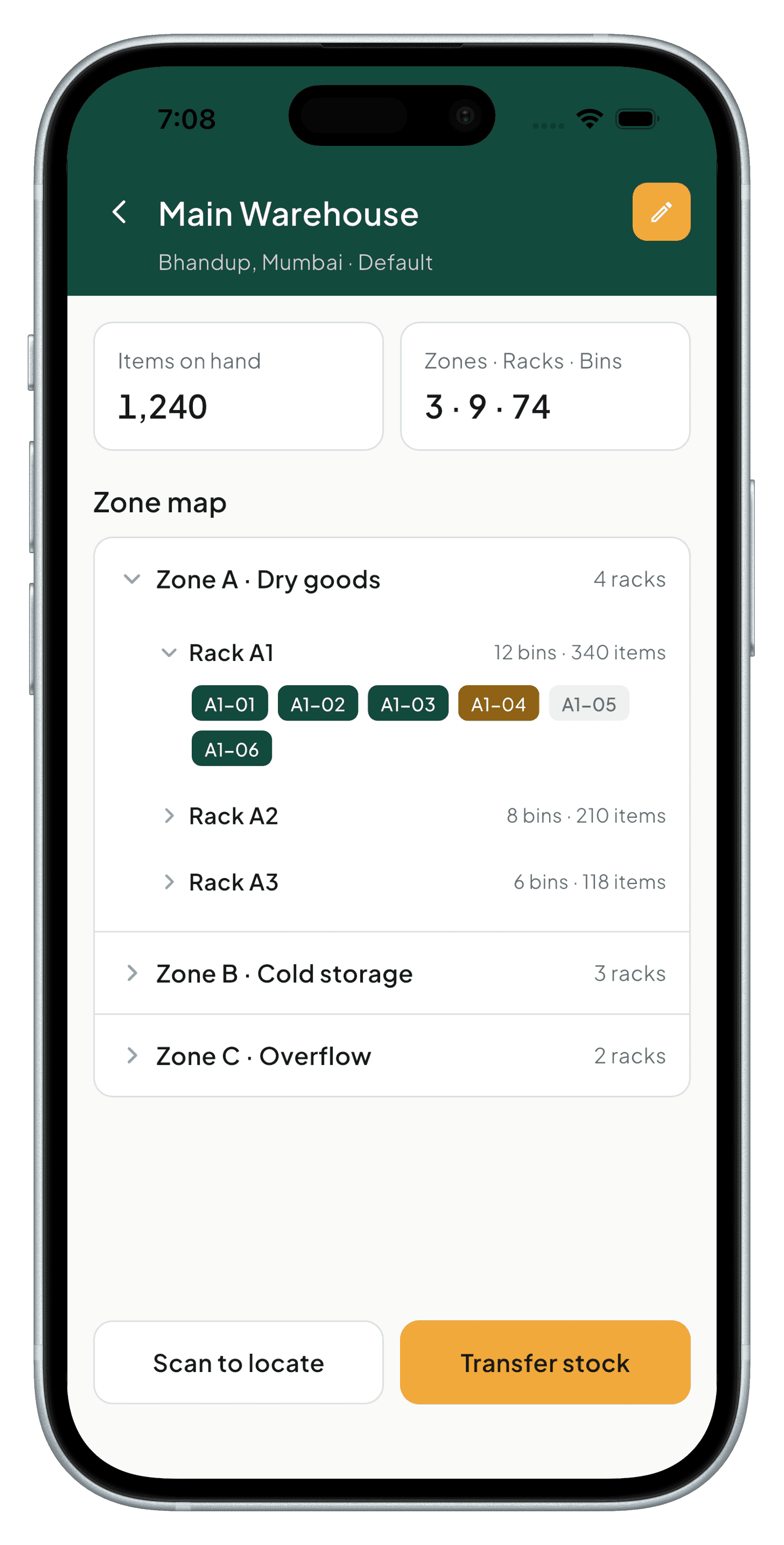
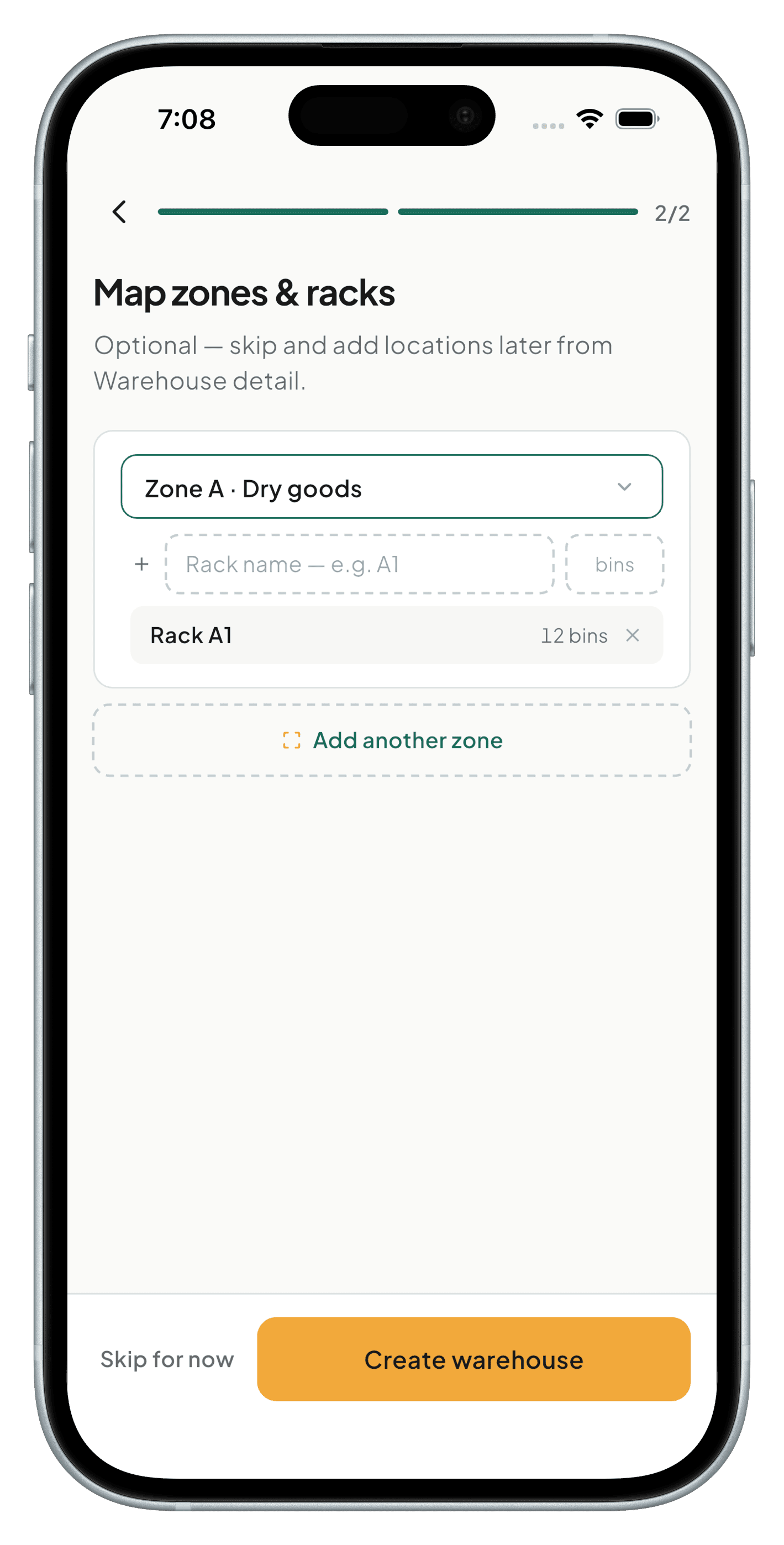
Location mapping
Define zones, aisles, racks, and bins, and assign each item's stock to one, so staff can find physical stock instantly — "Item X → Warehouse 2 → Rack B3."
Warehouse-wise valuation
See stock value broken down per location, not just across the whole business.
Consolidated dashboard
Roll every location up into one view when you need the big picture.
Role-based access
Give staff visibility into their own location's stock without exposing every warehouse.
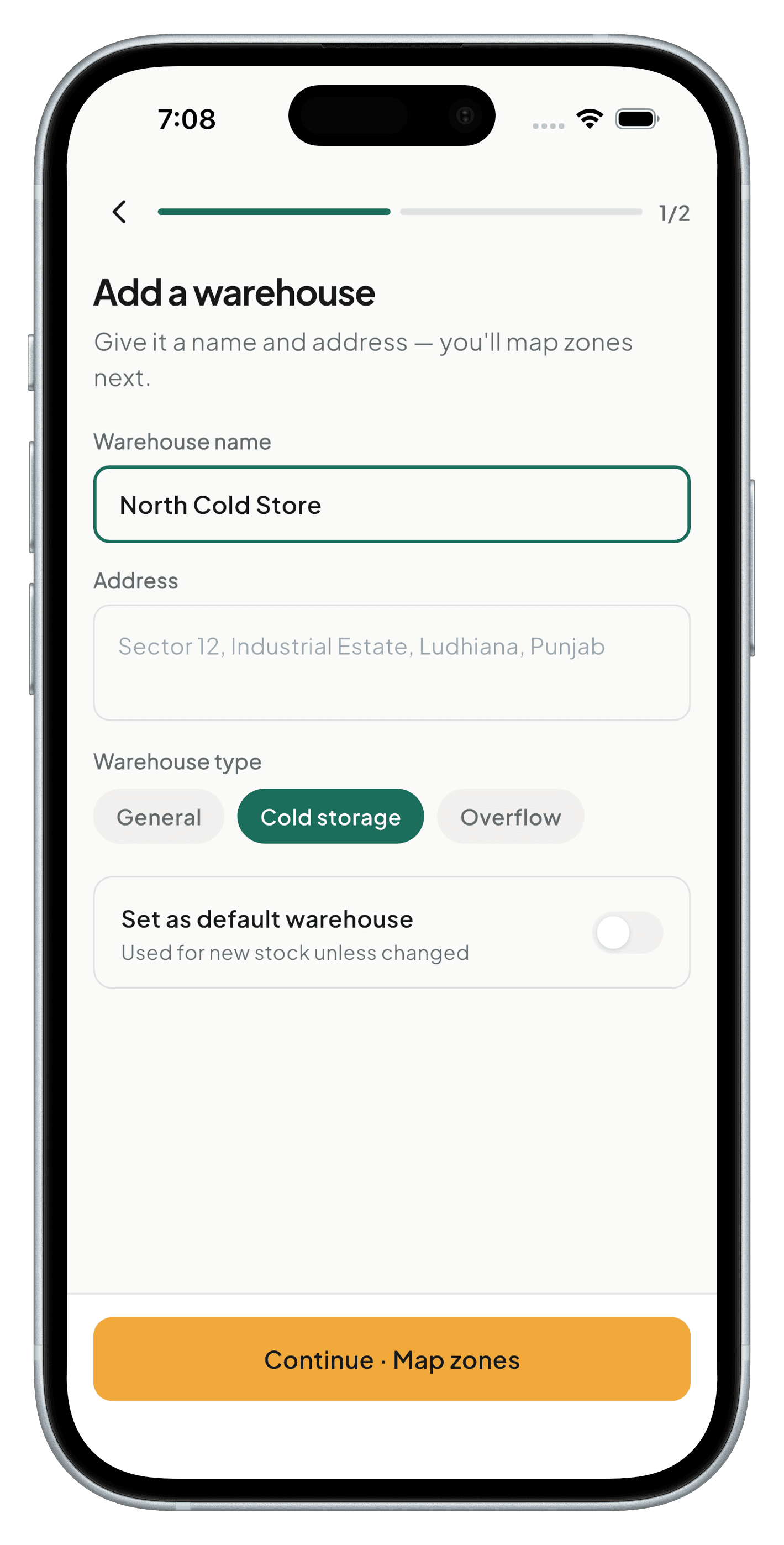
See it in the app
A closer look at the screens that make this work.
Frequently asked
The Free plan supports a single location; Pro supports multiple warehouses with no fixed cap.
Only if you grant them access — role-based permissions scope each user to the warehouses they need.
As a dedicated transfer entry that deducts from the source warehouse and adds to the destination once confirmed, keeping both counts accurate.
Coming soon to Android, iOS, Windows & macOS
StashBill is in final development. It will be free forever for one device — no card required.